
The Manage Account Security function allows you to:
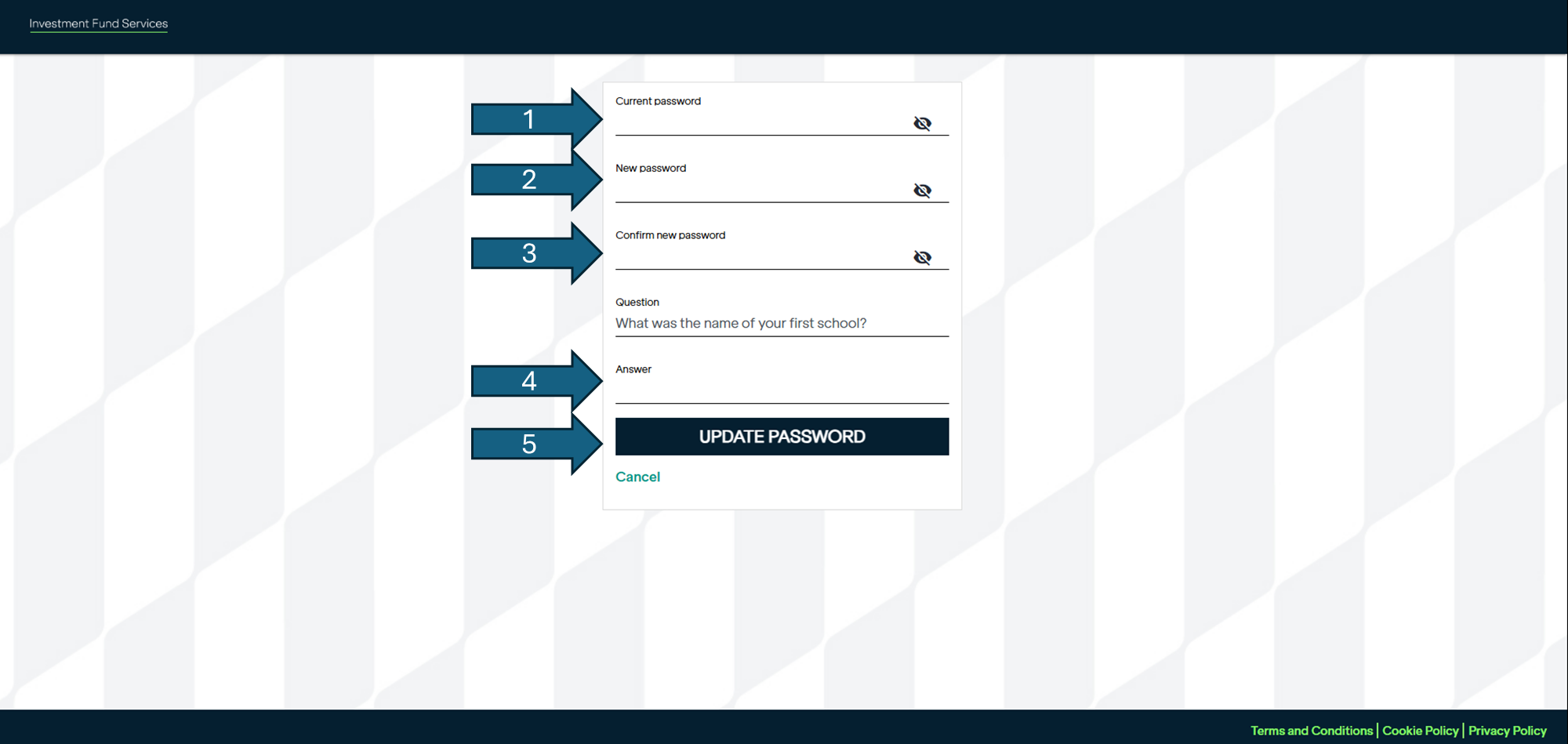
-Update your password. You will see the below screen where you must enter:
1. Your existing Password
2. Your new Password
3. Confirm new Password
4. Answer one of your security questions
5. Select Update Password
You will receive an e-mail to confirm that a change has been completed.
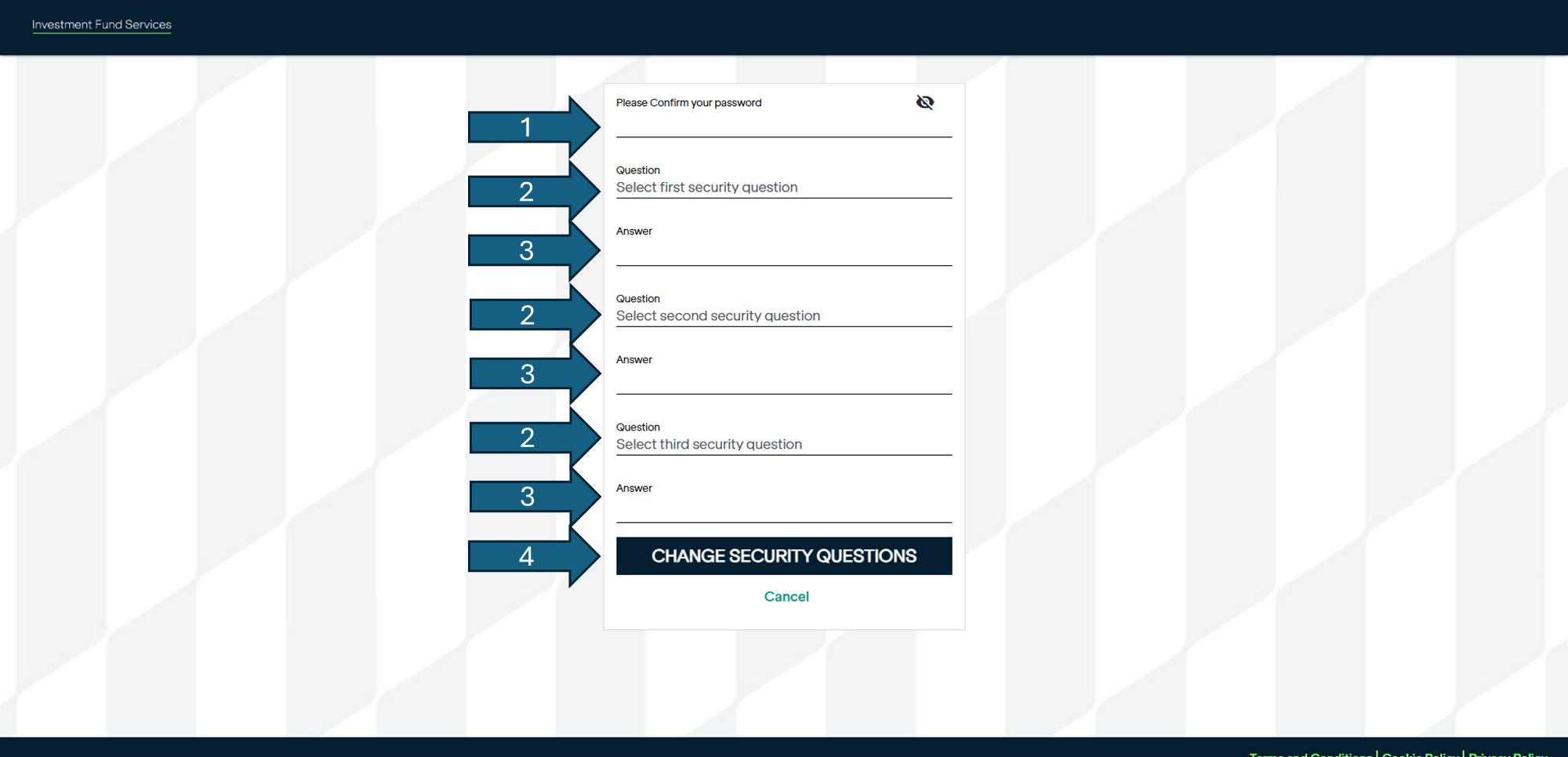
-Update your security question. You will see the below screen where you must enter:
1. Your current Password
2 & 3. Select a security questions and type an answer. Note - You will have to do this 3 times
4. Select Change Security Questions
You will receive an e-mail to confirm that a change has been completed.